The best DJ apps have completely transformed the way we interact with music, democratizing the art of mixing. In the past, being a DJ required expensive equipment and in-depth technical knowledge, but today, anyone with a smartphone can start honing their skills. Consequently, the barrier to entry for new talent has drastically decreased. With the right tool, your phone becomes a powerful music creation hub.
The popularity of these apps has grown exponentially, as they offer an affordable and portable alternative to traditional turntables and mixers. Furthermore, many of these DJ apps come with built-in tutorials, making learning even easier for beginners. Therefore, exploring this world is the first step for anyone who dreams of commanding the dance floor or simply having fun with friends. This guide will present the best options available on the market.
The Musical Revolution in Your Pocket: Understand the Power of DJ Apps
Essentially, DJ apps are software designed to emulate the functionality of a professional DJ setup directly on your phone or tablet screen. They offer virtual decks, a central mixer, equalization controls, and a variety of effects. In other words, you have a compact studio in the palm of your hand. This technology allows you to manipulate tracks, adjust beats, and create smooth transitions between songs.
The main concept behind these apps is accessibility. Instead of investing thousands of dollars in physical equipment, you can download an app, often free, and start practicing immediately. Furthermore, integration with music streaming services like SoundCloud and Tidal infinitely expands your reach. music library. In this way, the limited repertoire ceases to be a problem for
For those who are just starting out.
Why Start Your Musical Journey with DJ Apps?
Starting out in the world of DJing through mobile apps offers a number of undeniable advantages, especially for those on a limited budget. First and foremost, cost is the most obvious benefit. While a basic setup can be expensive, many high-quality DJ apps are free or very inexpensive. This removes the main financial barrier for aspiring DJs.
Beyond the economic factor, portability is a major advantage. You can practice your mixes anywhere: on the bus, during a break at work, or at a friend's house. This flexibility accelerates the learning curve. Other important benefits include:
- Smooth Learning Curve: Many apps have features like the "Sync" button, which automatically aligns the beats of two songs, allowing you to focus on music selection and creativity.
- Integrated Resources: They often include a virtual sampler, Pads for triggering effects and the ability to record your sets, all in one place.
- Simplified Experimentation: With access to millions of songs, you can explore different genres and styles without having to buy each track individually.
- Enhanced Creativity: In addition to mixing, many of these apps allow Create beats on your phone., adding an extra layer of musical production to your performance.
Deciphering the Right Choice: Essential Factors in DJ Apps
With so many options available, choosing the ideal app can seem like a complex task. However, analyzing some fundamental criteria simplifies this decision. First, evaluate the user interface (UI). A good DJ app should have an intuitive layout that replicates the logic of physical equipment, but adapted for a touchscreen.
Next, check the features offered. For beginners, the function of beat synchronization (Sync) is almost indispensable. However, it's important that the app also allows manual pitch adjustment so you can learn the correct technique. Also, pay attention to the quality of the... sound effects ...and the presence of tools like loops, hot cues, and a good equalizer. Finally, consider compatibility with your operating system (iOS or Android) and whether the business model (free with ads, freemium, or paid) aligns with your expectations.
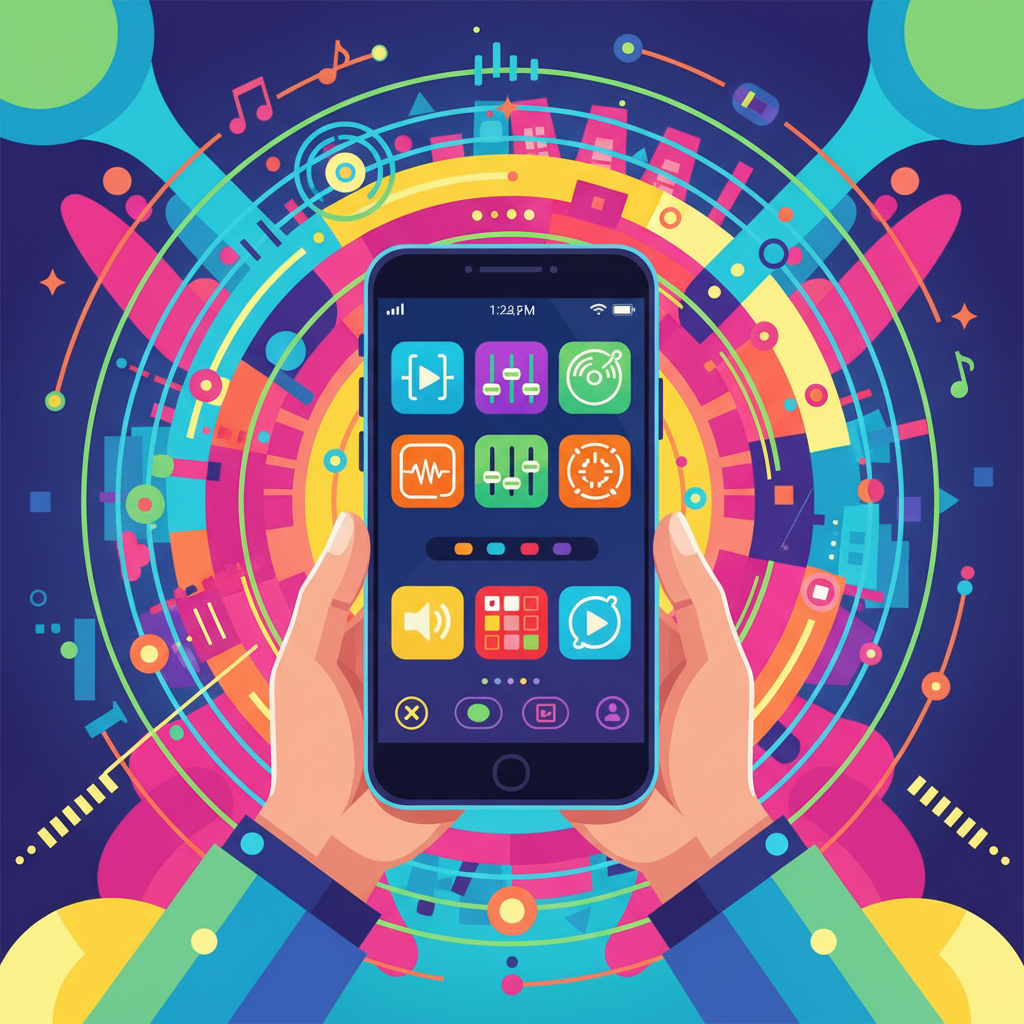
The 7 Best DJ Apps to Master Mixing on Your Phone
Now that you understand what to look for, let's explore the tools that stand out in the market. We've selected seven apps that offer an excellent combination of functionality, usability, and features for beginners. Each one has its own strengths, catering to different user profiles.
1. djay – DJ App & Mixer
Developed by Algoriddim, djay is often considered the gold standard for DJ apps on mobile devices, especially within the Apple ecosystem. Its main advantage is its clean interface and seamless integration with streaming services, allowing access to a gigantic music catalog. Furthermore, the app uses artificial intelligence to suggest the next song, helping beginners build a cohesive set.
djay offers a classic mode with two decks, a mixer, and color-coded waveforms that make it easy to visualize the music's structure. It also features a robust Automix AI feature, which creates high-quality automatic transitions. Therefore, it's perfect for those who want to liven up a party without having to manage each transition manually. The free version is quite complete, but the Pro subscription unlocks advanced tools. sound editing, a sequencer and access to a vast library of loops and samples.
2. Cross DJ – DJ mixer app
Cross DJ, by Mixvibes, is one of the oldest and most respected DJ apps on the market, available for both Android and iOS. Its main differentiator is the precision of its audio engine and its extremely reliable BPM (beats per minute) detection. Consequently, it offers a mixing experience very close to that of professional desktop software.
This app stands out for its customization capabilities and advanced features. It offers keylock control and pitch detection, allowing for more sophisticated harmonic mixes. Furthermore, Cross DJ is compatible with various models of... DJ controller It can be connected externally via USB or Bluetooth, making it an excellent option for those planning to take the practice more seriously in the future and migrate to a hybrid setup.
3. Edjing Mix – DJ music mixer
With over 50 million downloads, edjing Mix is one of the most popular DJ apps globally. Designed in partnership with professional DJs, it aims to offer a complete and fun experience. Its interface is vibrant and intuitive, and the app provides access to a huge variety of sound effects, which can be applied via an XY pad, making the performance more dynamic.
The great appeal of edjing Mix is its vast library of creative resources. It includes an integrated sampler with colored pads to trigger sounds like "siren" or "gunshot," as well as loops and hot cues. The app also integrates well with SoundCloud. Therefore, it's a fantastic choice for users who want to explore creativity and add many performative elements to their sets, going beyond simple transitions between songs.
4. DJ Studio 5 – Free music mixer
Exclusive to Android, DJ Studio 5 is known for being one of the most complete free DJ apps on the market, without limitations, watermarks, or persistent pop-ups. It adopts a business model based on paid skins, but all the main features are unlocked from the start. This makes it an incredibly attractive option for those who don't want to spend anything.
Despite being free, DJ Studio 5 doesn't skimp on features. It offers two virtual decks, eight sound effects, ten customizable sample pads, a three-band equalizer, and the ability to record your mixes live. The interface may not be as polished as its paid competitors, but its robust functionality and the absence of a paywall make it one of the best gateways into the world of DJing. audio mixing on Android.
5. BandLab
Although not a traditional DJ app, BandLab deserves a place on this list for its focus on... music production and creation. It's more like a social recording studio in your pocket. This app is perfect for those who want to not only mix pre-made songs, but also Create beats on your phone. From scratch. It offers a 16-track sequencer, over 300 virtual instruments, and a sampler.
BandLab lets you record vocals, guitars, and other instruments, or simply use its vast library of loops and drum kits to build your own tracks. After creating your music, you can use the editing tools to finalize it. Therefore, for aspiring producers who also enjoy DJing, BandLab is a powerful and free tool that covers the entire creative spectrum.
6. Traktor DJ 2
Developed by Native Instruments, a giant in the DJ equipment industry, Traktor DJ 2 is a free, high-quality application. It's the mobile version of the acclaimed Traktor Pro desktop software, bringing the same reliability and exceptional audio engine to your iPad or computer. Its interface is minimalist and focused on the essentials, ideal for learning the fundamentals of DJing.
The app integrates seamlessly with SoundCloud Go+, offering a vast repertoire. Its main differentiator is the quality of its time-stretching and synchronization algorithms, which are a benchmark in the industry. Although simpler in terms of visual effects, Traktor DJ 2 focuses on sound quality and mixing precision. Therefore, it is highly recommended for those who value audio fidelity and a distraction-free experience.
7. DJ it! – Music Mixer
DJ it! stands out for its focus on gamification and learning. This app is specifically designed for absolute beginners, offering a series of challenges and tutorials that teach everything from the basics, like beatmatching, to more advanced transition techniques. Each completed lesson unlocks new features, encouraging continuous progress.
The app analyzes each song and offers visual cues on the best moments to initiate a transition or apply an effect. This guided approach removes the intimidation many newcomers feel when looking at a DJ interface for the first time. As a result, DJ it! acts like a private tutor, making the learning process fun and structured. It is, without a doubt, one of the best DJ apps for those starting from scratch.
Your First Set: A Quick Guide to Mixing Music
Getting started with mixing might seem complex, but following a few basic steps will make the process much simpler. This quick guide is designed to help you make your first smooth transition using any of the DJ apps mentioned.
- Prepare your tracks: First, choose two songs that have a similar BPM (beats per minute) and that harmonize well. Load one song onto Deck A and the other onto Deck B.
- Start the First Song: Play the music from Deck A with the volume of that channel's fader at maximum. Leave the volume of Deck B at minimum.
- Synchronize the Beats: While song A plays, use the “Sync” button on Deck B so the app automatically adjusts the BPM of the second song. Listen to song B on your headphones to confirm the beats are in sync.
- Adjust the Equalization: Before introducing the second song, prepare the transition. On Deck B, reduce the bass slightly to prevent the two beats from clashing.
- Make the Transition: At a strategic point in Song A (such as at the beginning of a chorus or the end of a verse), play Song B (with the bass still reduced). Slowly move the crossfader from the center to the side of Deck B.
- Complete the Exchange: As track B gains prominence, begin increasing its bass while simultaneously reducing the bass and mid-range frequencies of track A. When the crossfader is fully on side B, the transition will be complete.
Elevating Your Level: Tips for More Professional Mixes
After mastering the basics, there are several techniques that can take your mixing to the next level. First, start by disabling the "Sync" button and learn to beatmatch manually using the pitch control. This is a fundamental skill for any DJ. Additionally, explore the use of... loops and samples to create live remixes and give your set a unique identity.
Another valuable tip is to pay attention to musical phrasing. Songs are generally structured in blocks of 8, 16, or 32 beats. Starting a transition aligned with these phrases makes the mix much more natural and pleasant to listen to. Finally, organization is key. Create playlists by genre, energy, or BPM in your system. music library. That way, you'll always find the perfect track for the right moment.
Frequently Asked Questions
1. Is it possible to use music from Spotify or Apple Music in DJ apps?
Unfortunately, due to copyright restrictions (DRM), most DJ apps cannot integrate directly with Spotify or Apple Music libraries. However, many of them offer integration with SoundCloud Go+, Tidal, or Beatport LINK, which are streaming services geared towards DJs and allow the legal use of tracks in their mixes.
2. Do I need to buy a DJ controller to use these apps?
No, a controller isn't necessary to get started. All the listed apps are fully functional using only the touchscreen of your phone or tablet. However, a DJ controller A physical keyboard can offer a more tactile and precise experience, making it a great future investment for those who decide to take DJing more seriously and seek a more professional performance.
3. What is the difference between mixing and music production?
Mixing (or DJing) is the art of combining existing songs in a fluid and creative way to create a continuous set. music production Production is the process of creating a song from scratch, which involves composing melodies, creating beats, recording instruments and vocals, and arranging all these elements. Apps like BandLab are more focused on production, while the others on the list are geared towards mixing.
4. Are free DJ apps good enough for learning?
Yes, absolutely. Apps like DJ Studio 5 or the free versions of edjing Mix and Traktor DJ 2 are more than enough to learn all the fundamentals of DJing. They offer essential features like two decks, a mixer, and synchronization, allowing you to practice and develop your skills without spending a penny.
5. How can I record and share my DJ sets?
Most quality DJ apps have a built-in recording function. Usually, there's a "REC" button that, when pressed, starts recording your mix to an audio file (such as MP3 or WAV). After you're finished, you can export this file to your device and share it on platforms like SoundCloud, Mixcloud, or directly with your friends.
Conclusion
Entering the world of DJing has never been so accessible, and DJ apps are proof of that. They transform your phone into a powerful creative tool, allowing you to learn, practice, and perform anywhere. From complete and free options like DJ Studio 5 to sophisticated platforms like djay, there's a perfect solution for every beginner.
Exploring these apps not only teaches the technical skills of mixing, but also deepens your connection with music. The ability to manipulate sounds, combine genres, and even... Create beats on your phone. It opens up a universe of artistic possibilities. So don't hesitate: choose one of the apps from our list, download your favorite songs, and start your journey to becoming a DJ today.